Platform — Accord PCS
Home  /  Platform

One platform from control to compliance

Accord unifies PLC and SCADA operations with management functions and reporting, so the people running the plant work from a single, consistent system.

Explore the Platform
Server

The Accord Server

This is a central module which manages communication to PLC using OPC and publishes data to HMI and all other modules. Server also manages Data Logging and Archiving, Users and Security, and Redundancy.

HMI Batch Recipe Tools PLC Documents Design Reports SERVER

Click an element for more information

Development Environment

Design and test your plant before anything goes live

Build the control and operations system offline and Test it on desktop using PLC Emulator. Setup objects, screens, recipes, programs and validate everything in the Emulator before connecting to a PLC.

The Simulator can be used to provide feedback, allowing you to test-run your plant in a safe environment. Everything transfers directly to the Production Environment when tested and signed off.

Designer Emulator Simulator HMI Client Full Recipe & Plan Design & Test documents
Designer - Controller

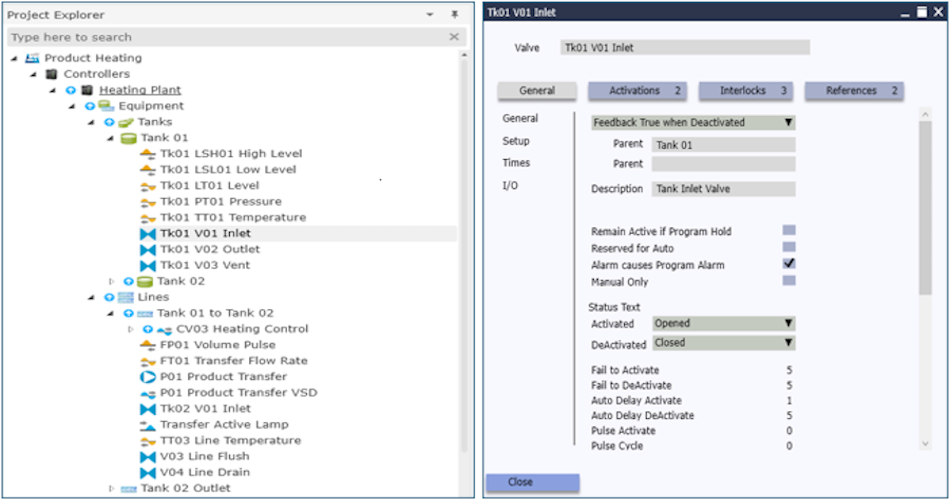
1 - Arrange Equipment in Model

Arrange Equipment in Model

Quickly configure Equipment Units and Devices

Designer - Controller

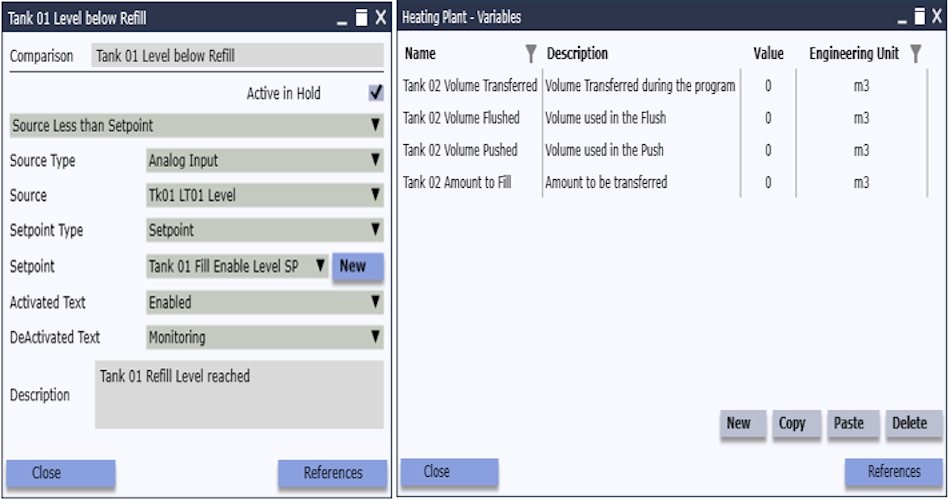
2 - Configure Program Items

Configure Program Items

Set up Program Items using common elements

Designer - Controller

3 - List Items in Steps and Steps in Program
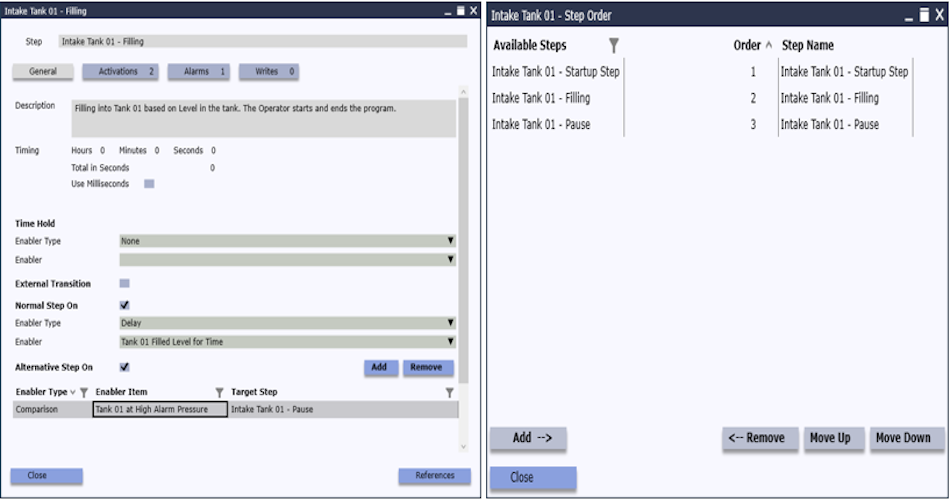
List Items in Steps

Include Items in Steps and Steps in the Program

PLC and Server

4 - Configure PLC Connection, Download, configure Users, Logging etc
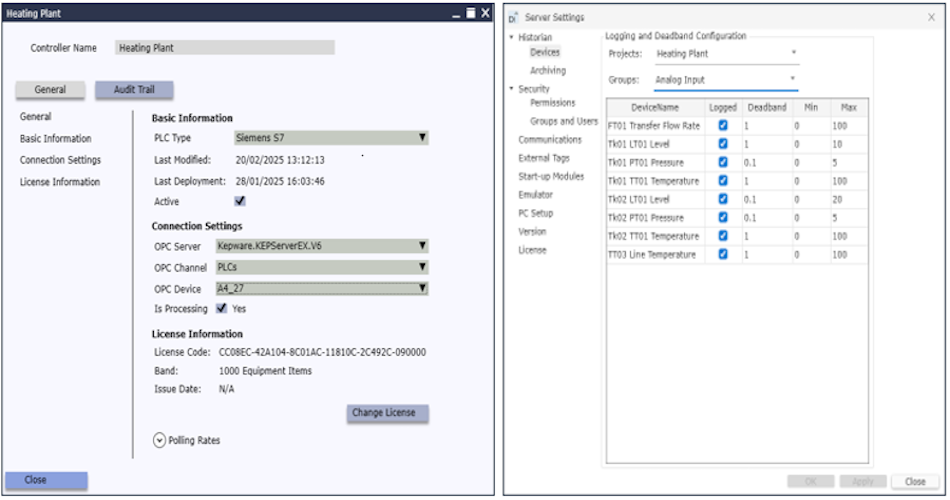
Configure PLC Connection

Download the Model to PLC and configure Users, Historian and other settings for SCADA management

Designer - HMI

5 - Configure HMI Screens using Model objects
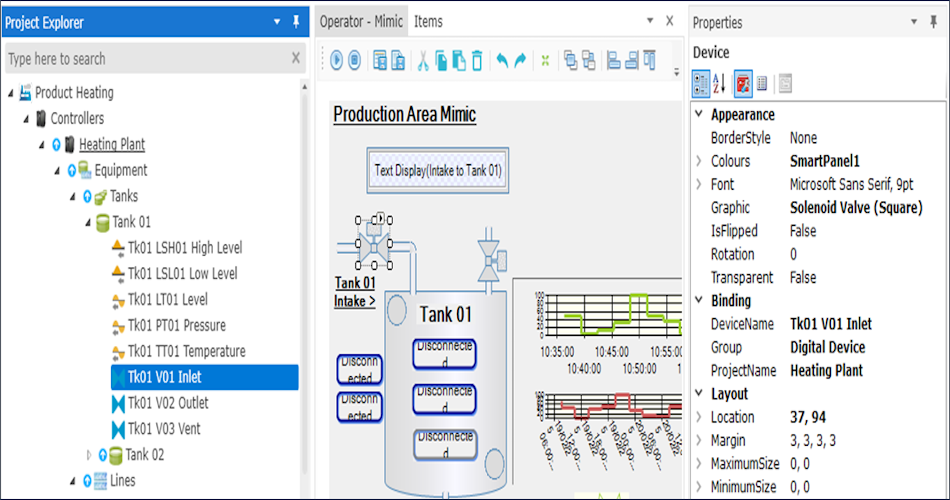
Configure HMI Screens

Drag Objects from Model onto HMI Screens for tag-free and code-free functionality

HMI Client

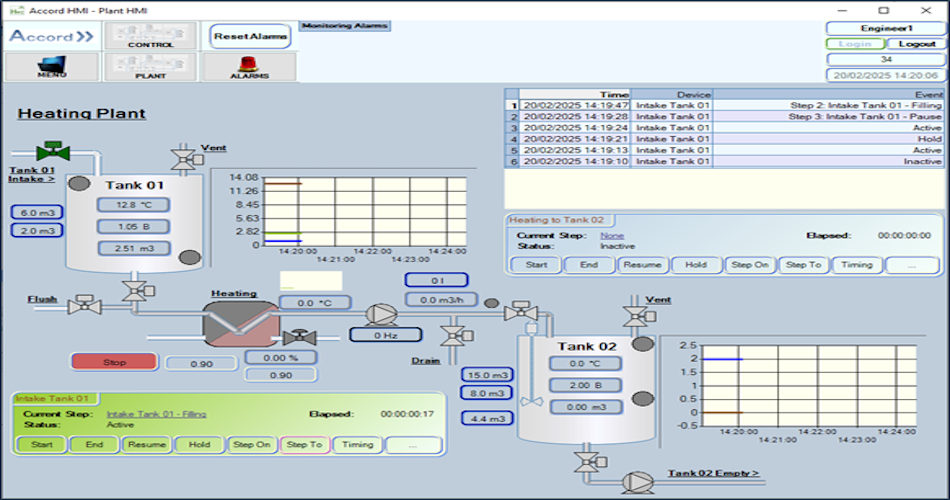
6 - View HMI

View HMI

Full feature HMI automatically linked to PLC Model objects

Recipe Manager

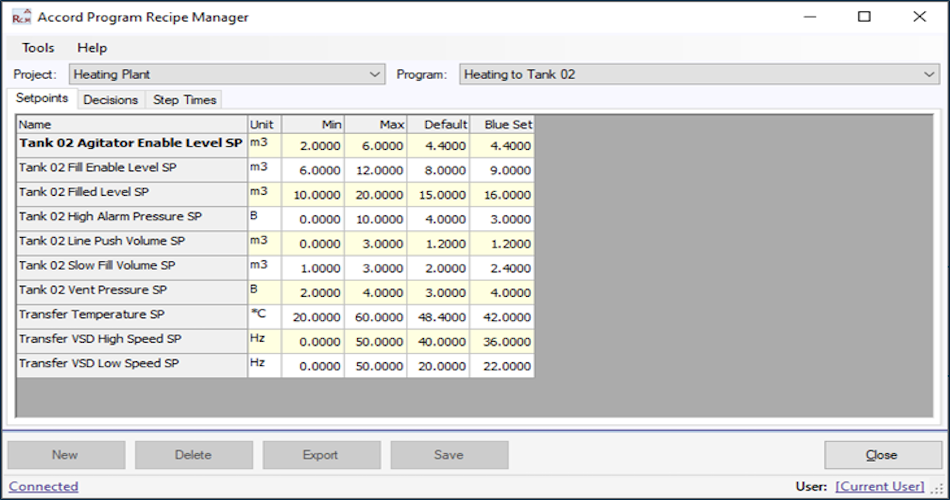
7 - Add Recipes for Programs

Add Recipes

Add Program variations for Setpoints, Selection Decisions and Times

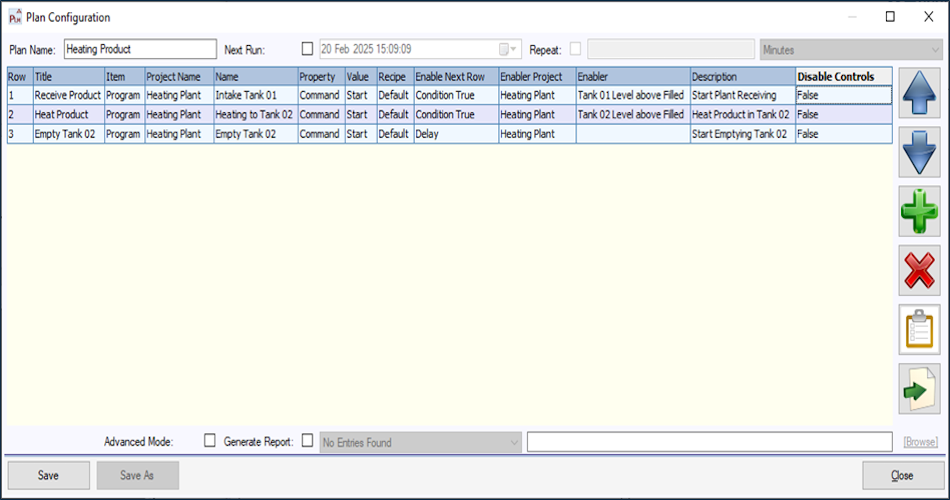
Plan Manager

8 - Add Plans for MES Functions

Add Plans

Plans allow Schedules of Programs, or other Plans to run in sequence

Built in Audits

9 - Use Audits and Reporting for Traceability
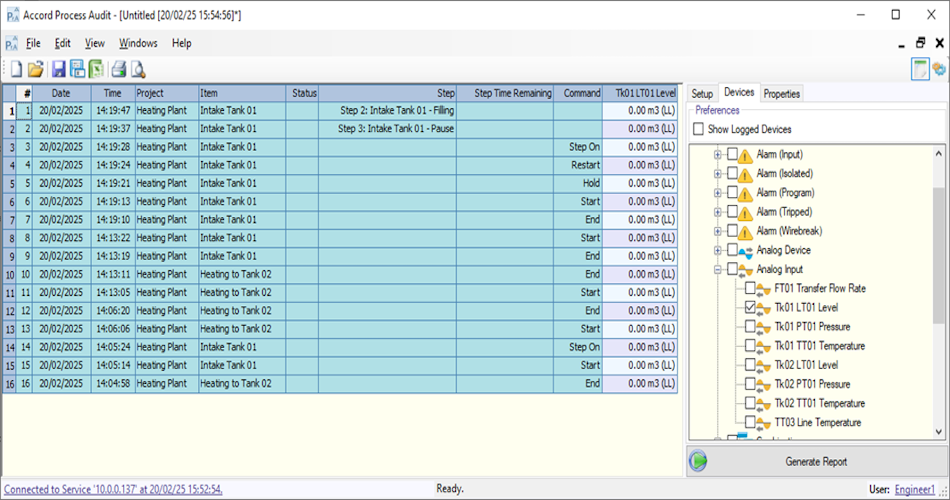
Audits and Reporting

All Items can be logged and available for Reports from Process and Security Audit Trails

Accord AI

Design your plant with AI

Accord Designer lets you configure your plant the way that suits you. Build manually using the object-based interface, or ask the AI assistant for help with any configuration task.

Describe what you need in plain language like setting up a valve, an alarm structure, a sequence, or whatever your project needs. The AI knows how Accord works and will walk you through it or make the changes directly. It remembers your plant layout between sessions so it gets more useful the longer you use it
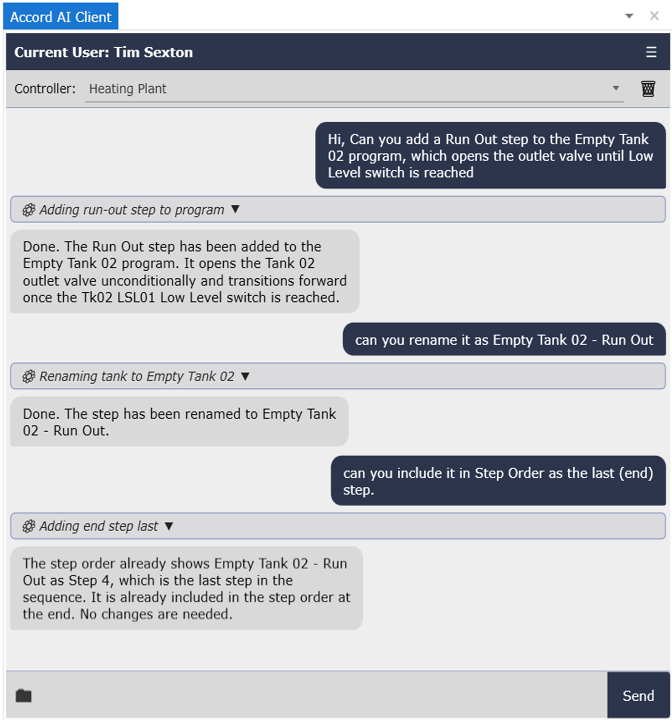
Plain English commands Device & alarm configuration Strategy advice Remembers plant context Session memory
Accord AI chat interface
Production Environment

Live plant control, management and compliance in one system

The Production Environment is the live, on-site system. The Server connects to PLCs via OPC and manages all data, alarms, recipes and reporting. Licences are per site and perpetual, no subscriptions for the plant floor.

It is straightforward to Scale from a single PLC with 1 operator screen to a multi-controller plant with full recipe management, redundancy and compliance reporting, as all modules are already integrated and sizing is just dependent on requirements.
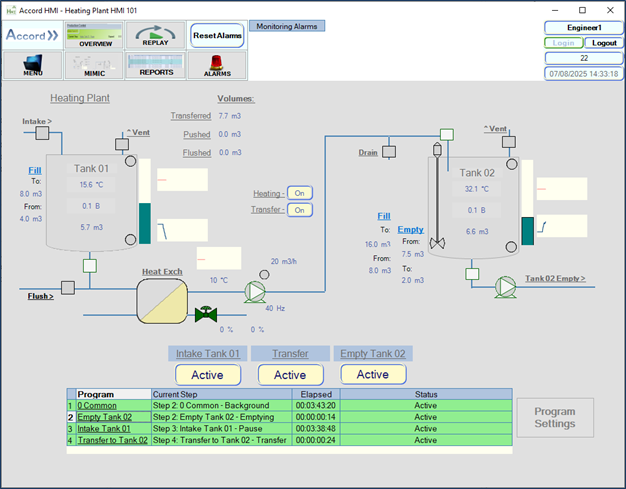
Server HMI Client Controllers (per device count) Recipe / Plan (MES) Redundancy Custom Reports Security Audit
Accord production plant overview
Modules

From design to live operations

Build and test your plant offline in the Development environment. When ready, deploy directly to Production.

Development Environment Annual licence, per PC
Designer Framework application for setup of Process Models and HMI applications
Included
Emulator Mimics PLC operation for full PC testing before connecting to a PLC
Included
Simulator The Simulator can be used to provide feedback, allowing you to test-run your plant in a safe environment. Everything transfers directly to the Production Environment when tested and signed off.
Included
HMI Client(Limited Time) PC HMI client application, interacting with Server module
Included
Recipe & Plan Settings for Recipe and Plan modules can be set up and tested in Emulation
Included
Design & Test Documents Process Specification and Test documents automatically generated
Included
Accord AI An AI assistant built into Accord Designer with deep knowledge of the Accord platform. Assists with configuration, design and general questions
Included
Production Environment Perpetual per-site licence
Server Data Management and services for all modules
Server basis
Controllers Auto implementation of Process Model in Controller
Per PLC
HMI Client (Per Client PC) PC HMI client application, interacting with Server module
Per screen
Recipe Manager Generate recipes for Setpoints, Step Times, and selection Decisions
Per site
Plan / MES Sequencing of Programs, or Plans, with Recipe selection
Per site
Process & Security Audit Query of logged status and activity; time and date stamp of all operator actions to Annex11 standard
Included
Custom Reports User configurable reports with embedded program information and trends
Optional
Redundancy Hot Standby Auto Switchover server setup
Optional
Relay Transfer values between PLCs
Optional

Scroll to Top